
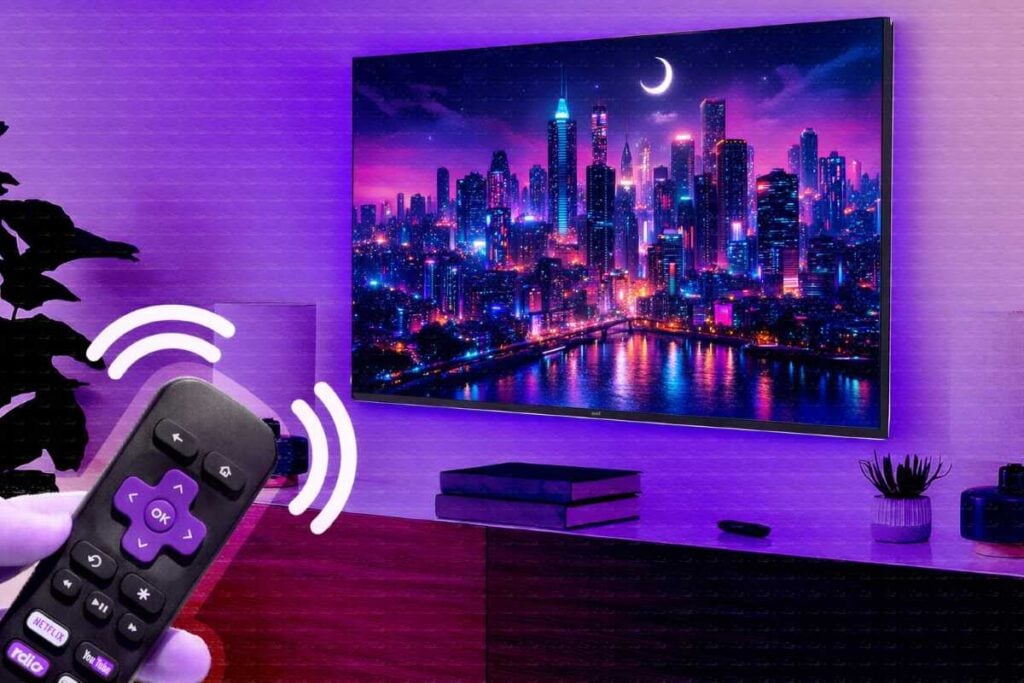

Your Roku TV doesn’t have to be just a screen you turn on and off. With a few simple tweaks, it can become one of the most beautiful, cozy parts of your home.
Most people never go beyond the default settings… and that’s exactly why their TV looks like everyone else’s. But hidden inside your Roku are features that can completely transform how it looks and feels—richer colors, calming visuals, personal photos, even artwork that turns your screen into something you actually enjoy looking at.
The best part? You don’t need to be tech-savvy. You don’t need to buy anything extra. And you can do all of this in just a few minutes.
In this guide, I’ll walk you through the easiest ways to make your Roku TV feel warm, inviting, and beautifully “you.”
Turn your Roku TV into a stunning digital art display (for free)
Here’s one of the coolest (and most overlooked) ways to make your Roku TV feel truly aesthetic—it can literally become a piece of art on your wall when you’re not using it.
Roku has a built-in feature called Backdrops, and once you turn it on, your TV transforms into a rotating gallery of artwork, photography, or even your own personal photos. No extra cost, no fancy setup—it’s already sitting there waiting for you.
To get started, look for Backdrops in your app list. If you don’t see it, you can also find it under Settings. Once you open it, you’ll be surprised by how many options you have. You can browse through curated collections like cityscapes, clouds, and castles, explore artwork from real museums, or even filter by colors to match your room’s vibe.
There are also seasonal collections, so your TV can subtly reflect the time of year—think cozy winter scenes or warm autumn tones that make your space feel more inviting.
Once you find a gallery you love, just enable Backdrops and set it to run when your TV is idle. That means instead of a blank screen (or the usual screensaver), your TV quietly turns into a rotating art display throughout the day. It’s one of those small changes that instantly makes your space feel more thoughtful and put together.
You can also fine-tune how it looks. Adjust how long each image stays on screen, choose when it automatically starts, or even decide if it should stop at certain times of the day. That way, it blends naturally into your home instead of feeling like a tech feature.
Once it’s set up, your TV doesn’t just sit there anymore—it adds to the room. Even something as simple as walking past it and seeing a beautiful piece of art or a cherished memory can make your home feel warmer, calmer, and a little more special.
Turn your favorite photos into a beautiful screensaver
If you want to take it to a more personal level, you can upload your own photos. Family pictures, old memories, even your grandkids’ drawings—everything can be turned into a beautiful slideshow right on your screen. You can upload directly or connect something like Google Photos, and your TV will cycle through those images just like a digital frame.
The easiest way to do this is by connecting your Google Photos to Roku. Start by going to Roku’s photo stream page online and signing into your account. From there, you can create a new photo stream and choose to link your Google Photos account. Once connected, you simply pick the album (or albums) you want to display—family moments, vacations, grandkids, or even nature shots you love.
After that, head back to your Roku TV. Go to Settings → Theme → Screensavers, and select Roku Photo Streams. If it’s not installed yet, just add it—it only takes a moment. Once inside, you’ll see all the albums you linked, and you can preview them as a slideshow to see exactly how they’ll look on your screen.
What’s really nice is how flexible this is. You can choose which albums to include or remove at any time, so your screensaver always reflects what matters most to you. Maybe you want just family photos. Or maybe you mix in calming landscapes or seasonal pictures for a softer, more aesthetic feel.
And once it’s set up, you don’t have to think about it again. Whenever your TV sits idle, it automatically turns into a slow, peaceful slideshow of your chosen photos—almost like a digital picture frame built right into your living room.
It’s one of those small touches that quietly changes everything. Instead of a blank screen, you get something meaningful, something warm… something that feels like home.
Tweak the Roku TV picture settings for instant “wow” factor
If your Roku TV feels a little dull or flat, the good news is—you don’t need a new TV. You just need to tweak a few hidden settings that most people never touch. And once you do, the difference is honestly night and day.
Start by pressing the star button on your Roku remote while you’re watching something. This opens up your picture settings right away, which is where all the magic happens. From there, head into Display Brightness and switch it from the default to either Bright or Brighter. This alone can make everything feel more alive and easier to see, especially during the day.
Next, go into Picture Mode. If you’re still on “Standard,” try switching to Vivid. You’ll notice colors instantly pop more—think richer reds, deeper blues, and a more cinematic feel overall. It’s one of the quickest ways to make your screen look more “aesthetic” without any effort.
Now here’s where it really gets good. Jump into Customize Picture and start fine-tuning. Slightly increase the color to give everything more vibrancy, then boost the contrast to add depth and clarity. These small adjustments can completely transform how your TV looks.
If you want to go one step further, take a look at Dynamic Contrast. You can experiment with settings like low or high depending on your preference, but even turning it off can sometimes give you a more natural, balanced image.
And don’t skip Color Temperature—this one makes a bigger difference than most people expect. A cool setting gives your screen a slightly bluish tone (great for bright rooms), while warm adds a cozy, reddish feel (perfect for nighttime viewing). If you want something balanced and easy on the eyes, Normal is a safe and beautiful middle ground.
The best part? You can pull these settings up anytime with the star button, tweak them, and instantly see what looks best to you. Once you dial it in, even something simple—like a fireplace screensaver—can look incredibly rich and inviting.
Customize your Roku theme for a cozy, personal touch
If your Roku TV still feels a little “default,” this is where you can really make it feel like yours. Changing the theme is one of the easiest ways to instantly upgrade the look and mood of your screen—without touching any complicated settings.
Start by pressing the Home button on your remote, then scroll down to Settings and click into Theme. From there, you’ll find Theme Packs, which are basically ready-made styles you can apply in seconds. Browse through the options, pick one that matches your vibe, and select Get Theme Pack. Within moments, your entire interface transforms—colors, backgrounds, and even sounds.
But don’t stop there. Roku actually gives you a lot of control once you’re inside the theme section. You can switch up your wallpaper, choose a relaxing screensaver, and even customize menu sounds to match the mood you want. Want something calm and cozy? Go for softer visuals and gentle tones. Prefer something fun and lively? There are brighter, more playful options too.
One of the nicest touches is the option to turn on seasonal wallpapers. This means your TV can subtly reflect the time of year—think warm, nostalgic holiday vibes or fresh seasonal scenes that make your space feel more alive.
You can also fine-tune little details that make a big difference. For example, enabling wallpaper animations adds a bit of motion that makes your screen feel more dynamic, while adjusting the screensaver start time (like setting it to one minute) not only protects your screen but also lets those beautiful visuals show up more often.
And if you ever feel like you’ve gone a little overboard? No problem. There’s always a simple option to restore everything back to default and start fresh.
At the end of the day, this is where your Roku TV stops looking like everyone else’s—and starts feeling like a reflection of your home.
Read Also: How to Watch Local TV Channels on Roku (Even Without Cable)