

If you’ve been using CapCut for a while, you’re not alone. It’s easy, it’s free, and it gets the job done. But lately, more creators are starting to pause and ask an important question: “Wait… what’s actually happening to my videos once I upload them?” Between confusing terms, vague permissions, and concerns about how content might be stored, reused, or analyzed, it’s understandable why people are feeling uneasy.
That uneasiness has sparked a growing demand for video editors that clearly respect content ownership, privacy, and creative control. Creators want tools that help them edit—not tools that quietly help themselves to their work. And honestly? That’s not too much to ask.
This list focuses on video editing alternatives that are transparent about how your content is handled, don’t require unnecessary uploads, and let you stay in control. Ease of use still matters, of course—but not at the cost of your peace of mind.
Whether you’re a casual creator posting family videos, a social media manager running client accounts, a small business owner making promos, or someone who’s simply privacy-conscious, this list is for you. These tools prove you don’t have to give up ownership just to make great videos.
1. DaVinci Resolve — Professional-Grade Editing With Full Ownership
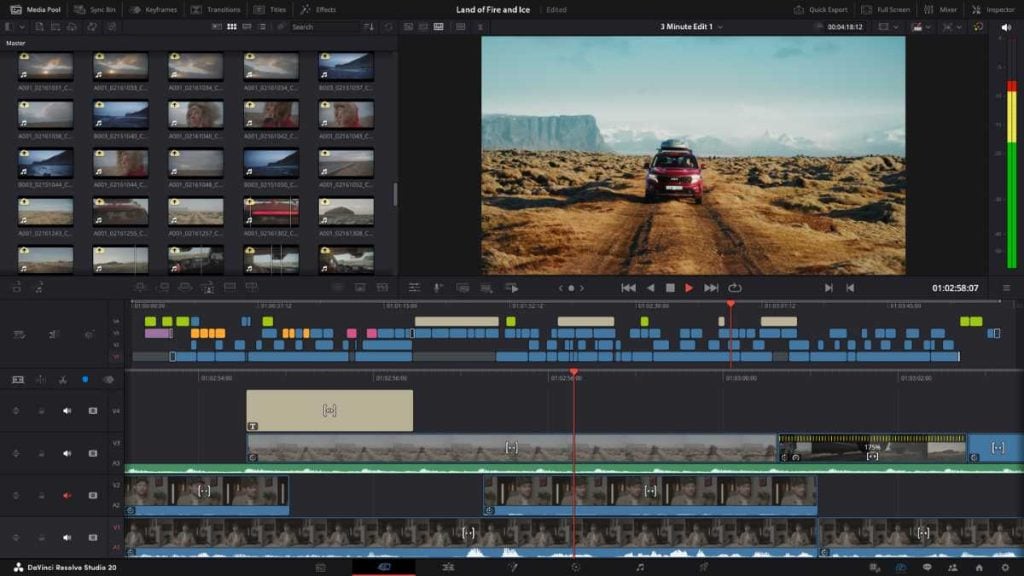
If you want serious editing power without worrying about your content being siphoned off somewhere, DaVinci Resolve is hard to beat. This is the editor used by filmmakers, YouTubers, and professionals who care deeply about quality—and ownership.
Who it’s best for:
DaVinci Resolve is perfect for creators who are ready to level up. If you’ve outgrown simple drag-and-drop apps or you want more control over color, audio, and effects, this is a fantastic choice. It’s especially popular with YouTubers, educators, and anyone editing longer-form or high-quality videos.
How it compares to CapCut:
Compared to CapCut, DaVinci Resolve is in a completely different league. You get far more control, more customization, and better output quality. Yes, there’s a learning curve—but it’s the kind that actually pays off. You’re not boxed into templates, and you’re never limited by “app-style” editing shortcuts.
Content ownership & privacy:
This is where DaVinci Resolve really shines. Everything is edited locally on your computer. There are no forced uploads, no cloud dependency, and no confusing terms about using your content. Your files stay yours—from start to finish.
Pros:
- Extremely powerful (Hollywood-level tools, seriously)
- Your videos stay local and fully owned by you
- Free version is more than enough for most creators
- Excellent color correction and audio tools
Cons:
- Takes longer to learn than CapCut
- Requires a decent computer to run smoothly
- Can feel intimidating at first (but worth it)
If CapCut feels convenient but a little too “handsy” with your content, DaVinci Resolve feels like the opposite: respectful, professional, and completely on your side.
2. VN Video Editor — Simple, Free, and Surprisingly Creator-Friendly
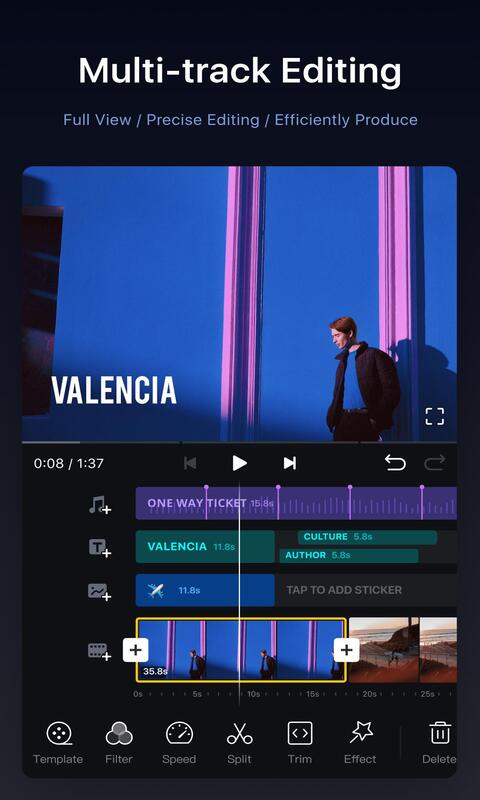
VN Video Editor is one of those apps people usually discover by accident… and then quietly fall in love with. It doesn’t shout for attention, it doesn’t push trends in your face, and it definitely doesn’t feel like it’s watching everything you do. It just lets you edit your videos—plain and simple.
Why it’s a favorite among mobile creators
Mobile creators love VN because it feels clean and uncluttered. You open the app and you’re editing within seconds. No pressure, no “start a trend” buttons, no constant nudges to publish. It’s especially popular with people who want to edit offline, work at their own pace, and focus on storytelling instead of effects overload.
What makes it safer than CapCut
One big difference? VN doesn’t require you to upload your content to a platform ecosystem. Your videos stay on your device unless you choose otherwise. There’s no built-in social network pushing you to share, and no vague language about repurposing your clips. That alone makes it feel far more respectful of your content.
Ease of use vs CapCut
If CapCut feels like it’s trying to be your editor, publisher, and social platform all at once, VN feels like a calm, focused workspace. The tools are easy to understand, timelines are intuitive, and nothing feels hidden behind pop-ups or prompts. You get fewer flashy templates—but more freedom.
Pros
- Free with no forced watermark
- Clean, beginner-friendly interface
- No pressure to upload or share content
- Strong timeline editing for a mobile app
Cons
- Fewer trendy templates than CapCut
- Not as many built-in effects
- No desktop version
If CapCut feels a little too loud or controlling, VN feels like a breath of fresh air. It’s editing without the strings attached.
3. InShot — Lightweight Editing Without Questionable Rights
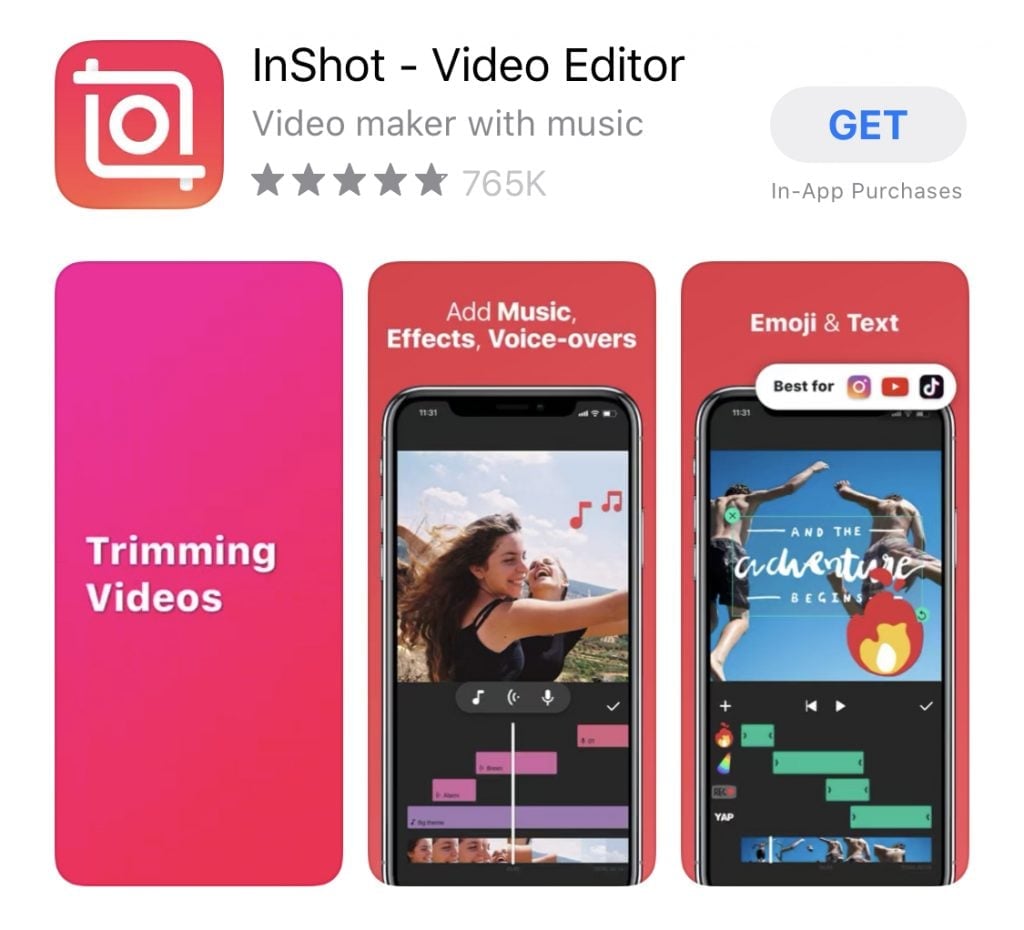
InShot has been around for a long time—and there’s a reason it hasn’t disappeared. It does exactly what most people need, without overcomplicating things or making you wonder what’s happening behind the scenes.
Best use cases
InShot really shines for short-form content. If you’re making Instagram Reels, YouTube Shorts, TikTok-style videos, or quick family clips, it’s fast and reliable. It’s perfect for trimming, resizing, adding captions, music, and simple transitions—without turning editing into a project.
How it handles your content and exports
Your videos are edited locally and exported directly to your device. There’s no forced cloud storage and no requirement to publish through their platform. You edit, you export, you’re done. Simple—and reassuring.
Feature comparison with CapCut
CapCut wins when it comes to trendy effects and templates. InShot wins when you just want things to work. The tools are straightforward, the interface is familiar, and nothing feels experimental. It’s less flashy, but also less intrusive.
Pros
- Very easy to learn (even for beginners)
- Reliable exports with minimal fuss
- Great for quick, clean social videos
- Doesn’t push content sharing
Cons
- Free version includes a watermark
- Fewer advanced editing tools
- Not ideal for long or complex projects
If CapCut feels like it’s constantly trying to be part of your content journey, InShot feels more like a quiet helper in the background—there when you need it, gone when you don’t.
4. Shotcut — Open-Source, Transparent, and Completely Yours
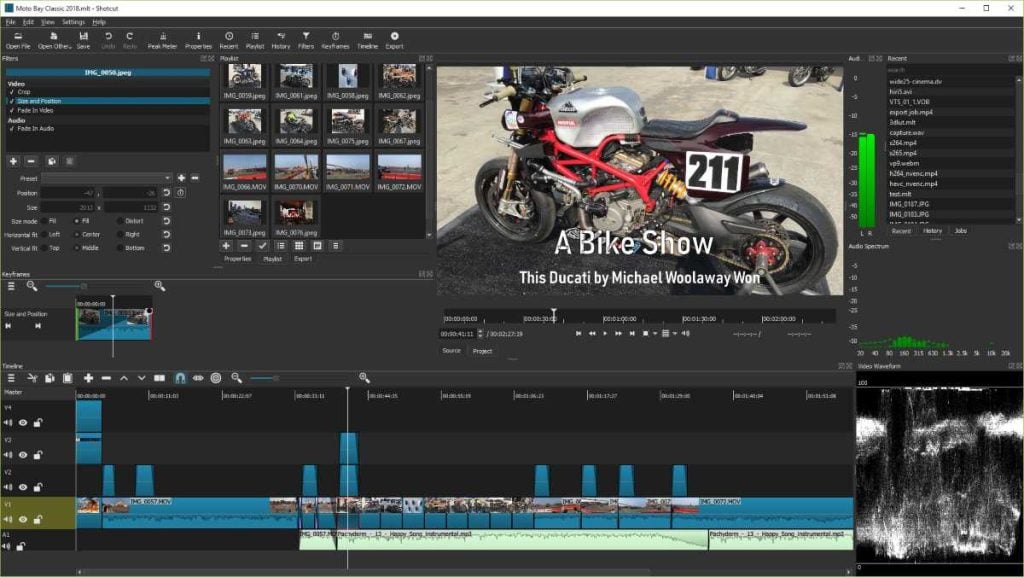
Shotcut is one of those tools that doesn’t try to charm you with trends or templates—and that’s actually its biggest strength. It’s calm, straightforward, and very upfront about what it does (and doesn’t do). If you’ve ever felt uneasy about an app being a little too interested in your content, Shotcut feels refreshingly hands-off.
What “open-source” really means for content safety
“Open-source” might sound like a buzzword, but here’s what it means in real life: the software’s code is publicly available. Anyone can inspect it. There’s no hidden behavior, no secret data collection, and no sneaky permissions buried in fine print. If Shotcut were doing anything shady, the internet would know about it fast.
Why Shotcut doesn’t touch your files or claim rights
Shotcut edits videos locally on your computer. Your files never leave your device unless you choose to move them. There’s no account to sign up for, no cloud syncing, and no platform waiting on the other side of your edits. It simply opens your video, lets you work on it, and saves it back to your machine—end of story.
Ideal creator profile
Shotcut is great for creators who value control over convenience. If you don’t need flashy templates and you’d rather know exactly where your files are at all times, this is a solid pick. It’s especially popular with privacy-conscious users, educators, hobbyists, and people editing personal or family videos they don’t want uploaded anywhere.
Pros
- Completely free and open-source
- No accounts, no cloud uploads, no content claims
- Works on Windows, Mac, and Linux
- Transparent and trustworthy
Cons
- Interface feels basic compared to CapCut
- Fewer built-in effects and templates
- Takes a little time to get comfortable
If CapCut feels like a busy mall full of pop-ups and promotions, Shotcut feels like a quiet workshop where you can just get things done—on your own terms.
5. Kdenlive — Total Creative Control With Zero Content Ownership Risks
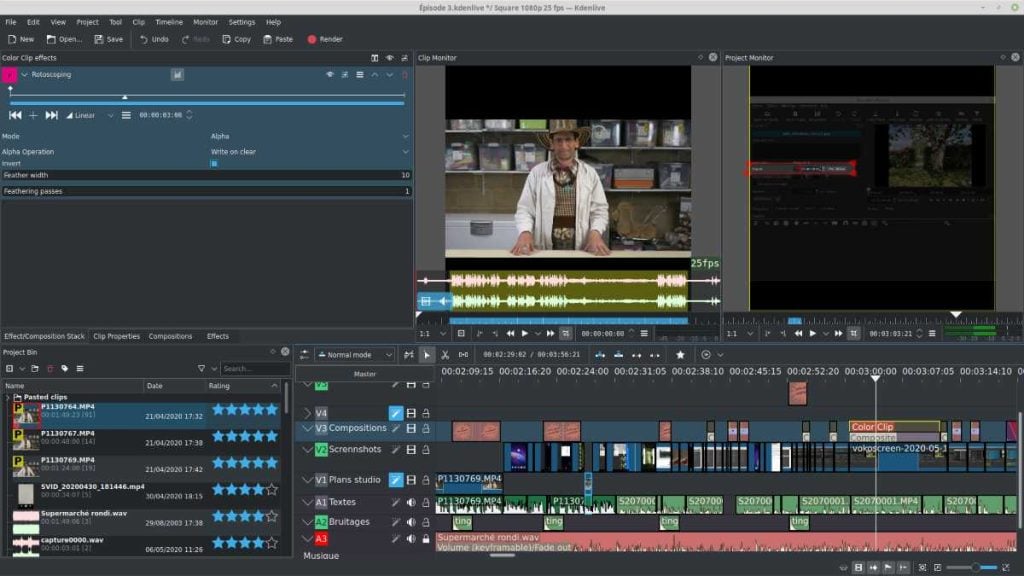
Kdenlive is for creators who want everything CapCut doesn’t offer: deep control, zero content risk, and no pressure to play by anyone else’s rules. It’s powerful, honest, and unapologetically focused on editing—not harvesting content.
Why privacy-focused creators love it
Like Shotcut, Kdenlive is open-source, which means full transparency. There’s no cloud dependency, no automatic uploads, and no terms that quietly grant rights to your videos. Everything stays on your computer. For creators who work with personal footage, client projects, or sensitive content, that peace of mind is huge.
Desktop editing advantages over CapCut
Kdenlive runs on desktop, and that alone changes the game. You get multi-track timelines, advanced transitions, keyframing, and detailed control that mobile apps just can’t match. You’re not editing with one finger on a phone—you’re working with precision and flexibility.
Learning curve vs payoff
Yes, Kdenlive takes more time to learn than CapCut. But the payoff is real. Once you get comfortable, you’ll realize how much freedom you have. You’re no longer limited by templates or app rules—you decide how your video looks, feels, and flows.
Pros
- Strong professional-level features
- Completely free and open-source
- No content ownership risks
- Ideal for long-form or complex projects
Cons
- Not beginner-friendly on day one
- Interface can feel overwhelming at first
- Requires patience to master
If CapCut feels like it wants to guide every creative decision you make, Kdenlive feels like it steps back and says, “Here—this is yours. Do what you want with it.” And honestly, that’s a pretty empowering feeling.
Quick Comparison Table
If you’re feeling a little overwhelmed by all the options, this quick comparison is here to simplify things. No tech jargon, no overthinking — just the basics that actually matter when you’re choosing a CapCut alternative.
Platforms supported
Some editors are mobile-only, some are desktop-only, and a few give you flexibility across devices. If you mostly edit on your phone, mobile apps like VN or InShot make life easier. If you prefer editing on a laptop or desktop (or want more power), tools like DaVinci Resolve, Shotcut, and Kdenlive are the better fit.
Ease of use
CapCut is popular because it’s easy — and thankfully, some alternatives are just as approachable. VN and InShot are very beginner-friendly, especially for quick social videos. Desktop editors take a little more time to learn, but they give you far more control once you’re comfortable.
Content ownership clarity
This is the big one. Mobile editors like VN and InShot keep things local and don’t force uploads. Open-source tools like Shotcut and Kdenlive are the most transparent of all — your files never leave your computer unless you move them. DaVinci Resolve also edits locally, which is a huge plus for creators who care about ownership.
Best for beginners vs advanced users
If you want fast, simple, and stress-free, beginner tools are the way to go. If you want creative freedom, deeper edits, and zero limitations, advanced tools are worth the learning curve. There’s no “right” answer — just what fits your comfort level and goals.
Think of this less like picking “the best app” and more like choosing the one that fits how you actually create.
Final Verdict: Which CapCut Alternative Is Right for You?
Let’s break this down in plain English — no guessing, no hype.
Best overall alternative
If you want power, control, and complete peace of mind about your content, DaVinci Resolve stands out. It’s incredibly capable, edits locally, and doesn’t blur the lines around ownership. It’s the best long-term choice if you’re serious about video editing.
Best mobile option
For mobile creators who want something clean, free, and respectful, VN Video Editor is hard to beat. It’s easy to use, doesn’t push you to upload, and feels focused on your work — not trends or platforms.
Best for privacy-first creators
If privacy is your top priority, Shotcut and Kdenlive are clear winners. Being open-source means there’s no mystery about what the software does. Your videos stay on your device, period.
Best professional-level editor
If you want studio-level tools without handing over your content, DaVinci Resolve wins again. It’s trusted by professionals for a reason, and the free version alone is more powerful than most people expect.
The bottom line
CapCut might be convenient, but convenience shouldn’t come with uncertainty. The good news? You don’t have to choose between great editing tools and protecting your content. These alternatives prove you can have both.
Read Also:
- The 5 Best Instagram Alternatives, According to a Full-Time Content Creator
- These 7 Websites Are Much Better Than Canva (Graphic Design Alternatives)